
Get to know Easy Notes.
Writing
Nothing between you and the page.
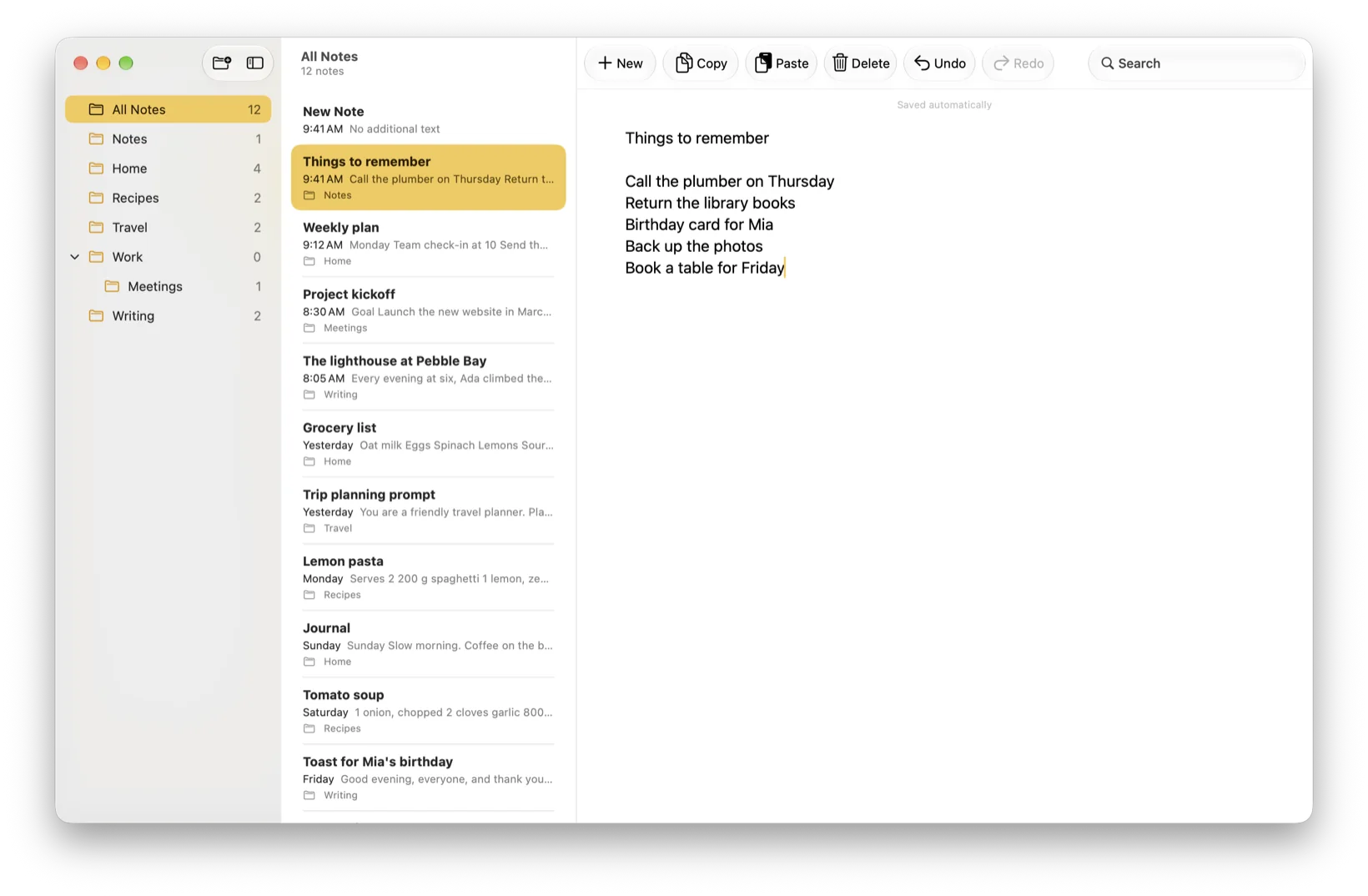
Easy Notes shows its plans when you open it without one, because writing needs a plan. With a plan it opens on a note with the cursor already in it — no document picker, no template chooser, and no Save command to remember. Come back within a few minutes and you are where you left off; after a longer break it opens a fresh note, with everything you wrote still in the list. People reach for a plain text notepad for drafts and long writing, meeting notes, lists, research snippets, and anything pasted in from elsewhere that should stay as plain characters.
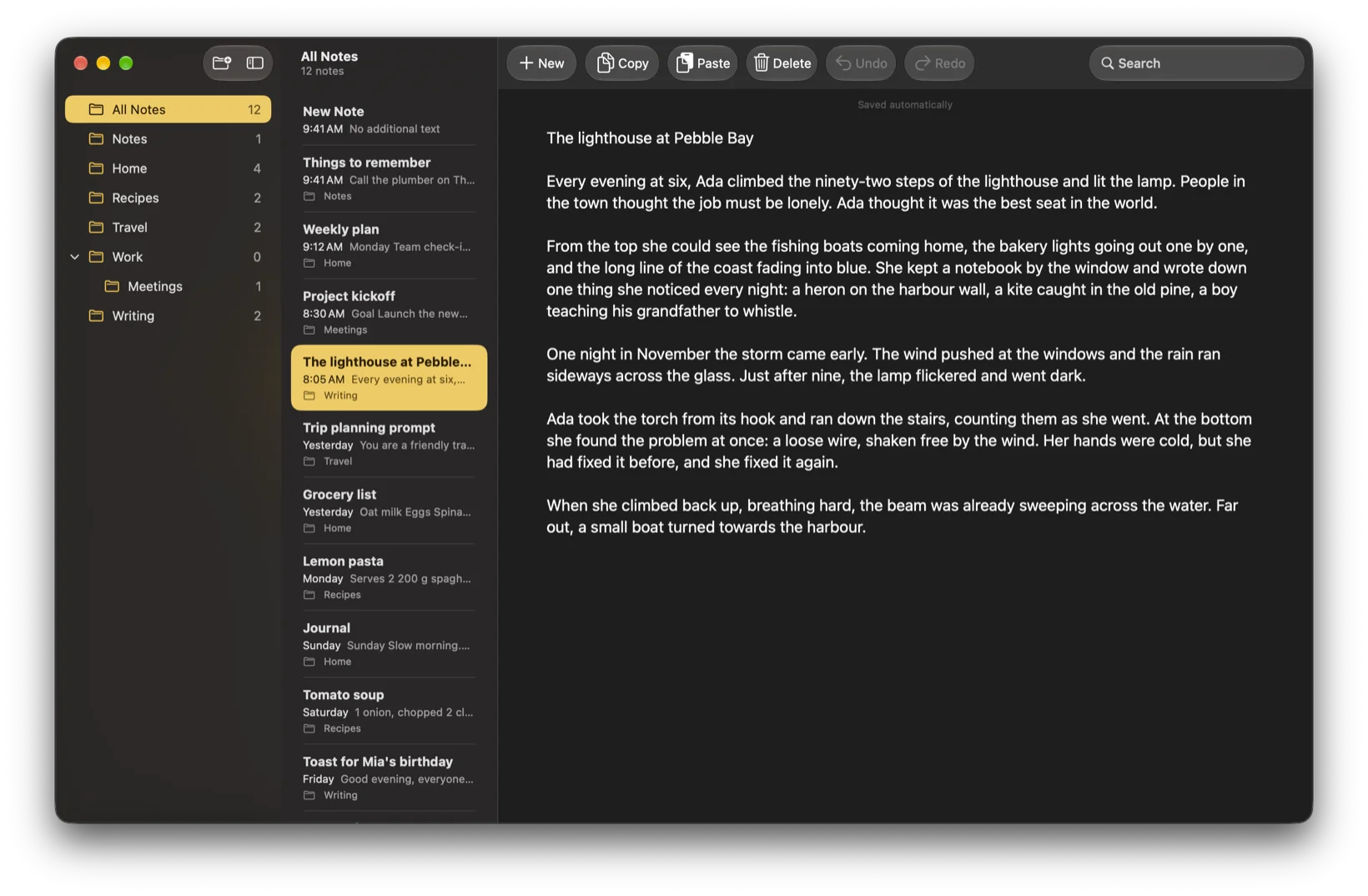
No bold, no fonts, no sizes and no colours. The characters you typed are all that is stored, in one typeface.
Spelling correction, text replacement, smart quotes and smart dashes are all switched off, so your words stay exactly as typed.
There is no Save command and nothing to remember: the note is saved a moment after you stop typing, and whenever you switch away.
Easy Notes follows your Mac's appearance: a white page in Light Mode, a dark one in Dark Mode.
They sit in the toolbar beside New, Delete and search, for the things you reach for most while writing.
Double-click a note to open it in its own window, beside whatever else you are working on.
Your notes
Everything in one window.
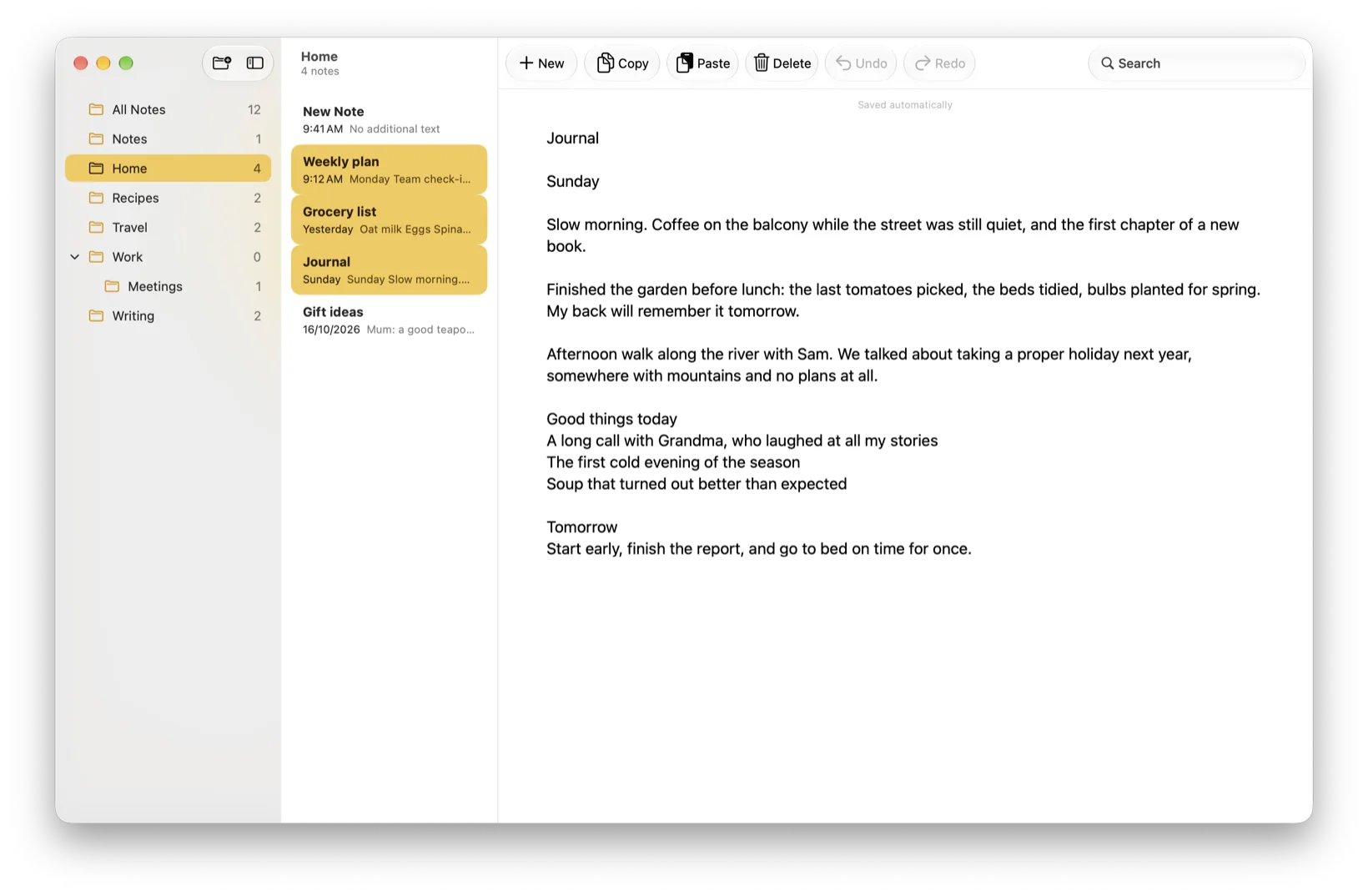
Your folders, your list of notes and the note you are writing sit side by side, so nothing is more than a glance away. The list grows with you, and search keeps it usable however long it gets.
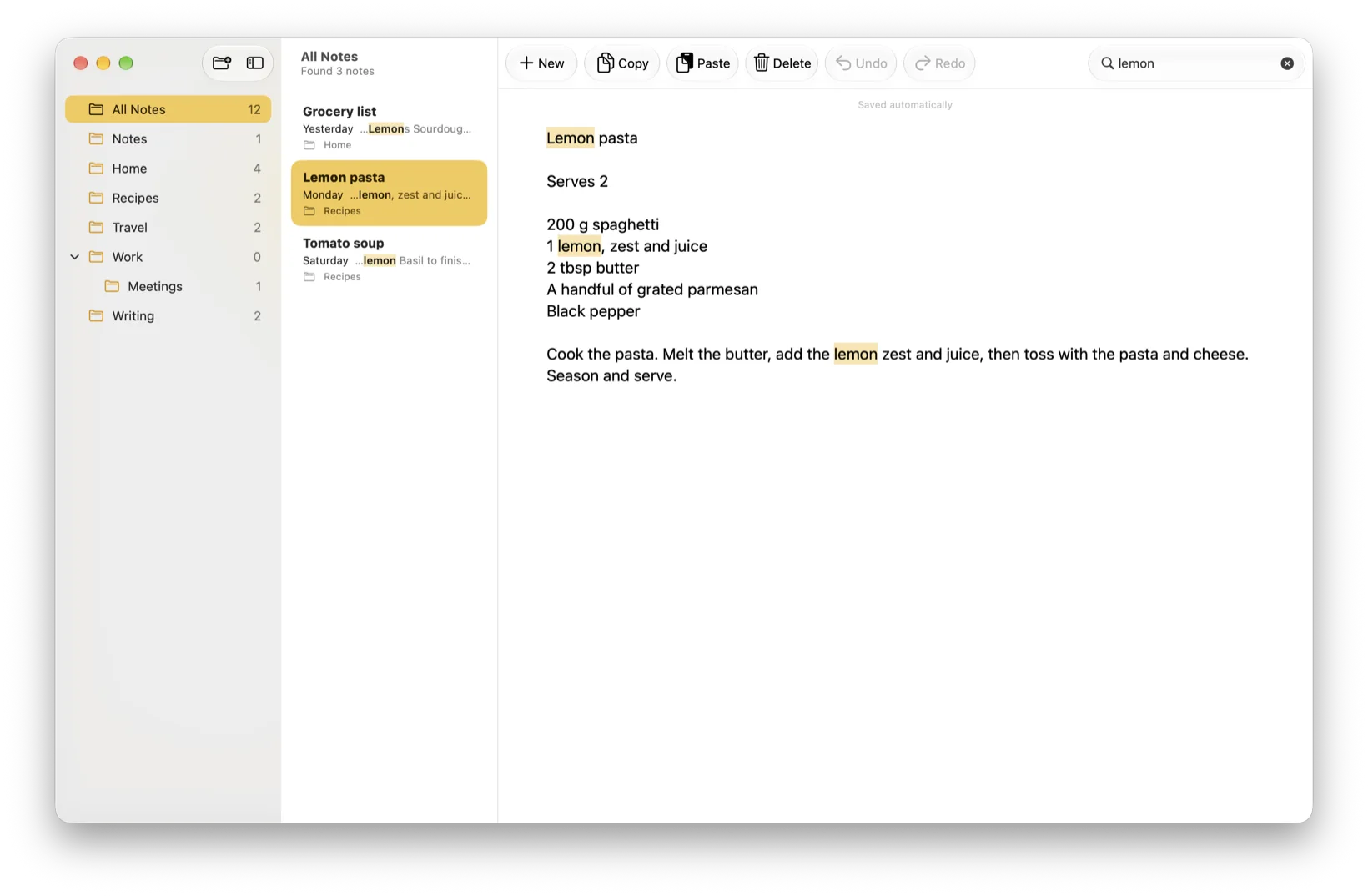
Type in the toolbar's search field to find a note by the words written in it, not just its first line.
Group notes into folders, rename them, and drag them into whatever order makes sense to you.
⌘-click or ⇧-click to pick several notes, then delete them, or move them into a folder, in one action rather than one at a time.
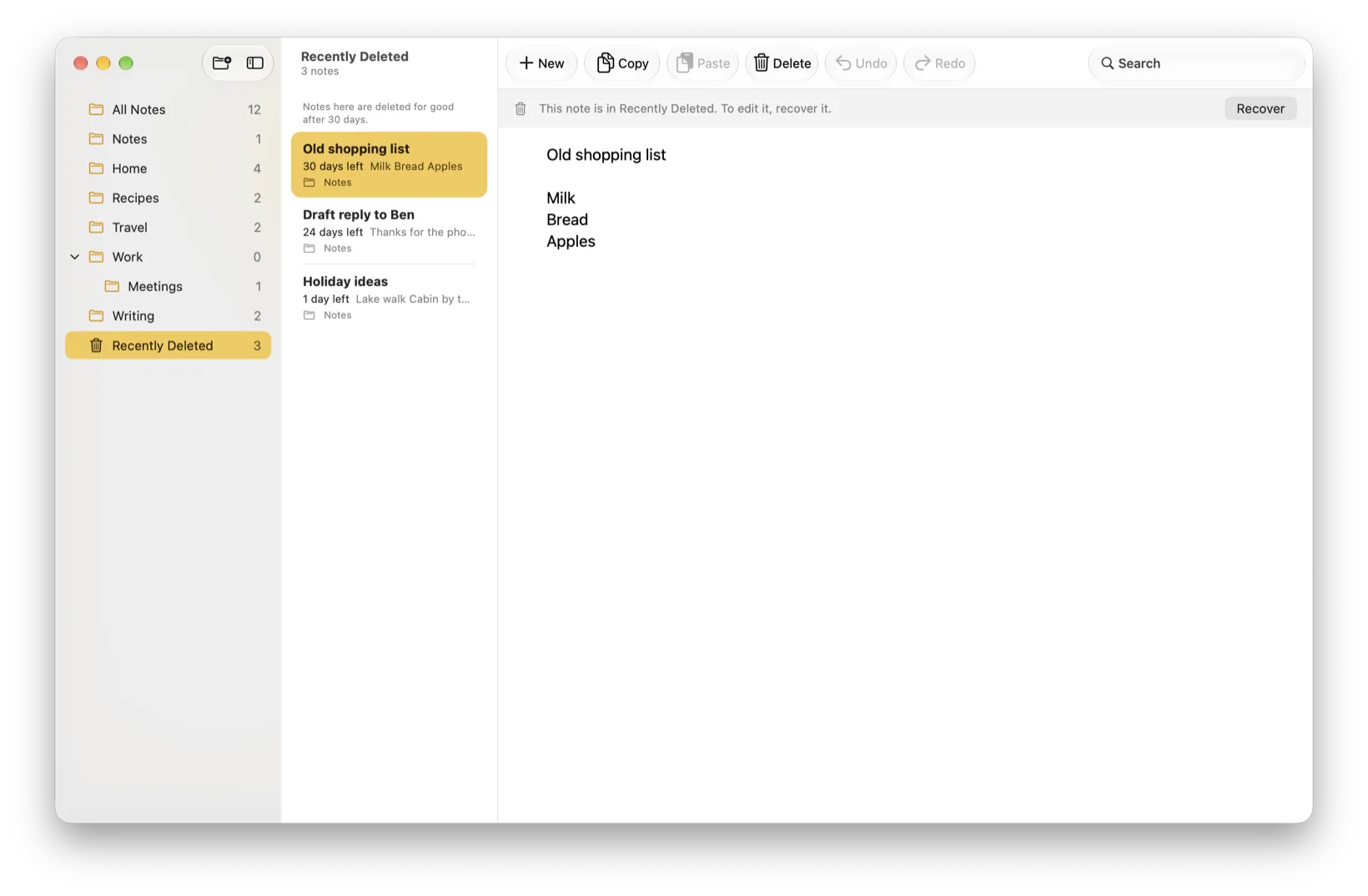
A deleted note waits 30 days before it goes for good, with the days left shown on its row.
Recovering a note from Recently Deleted never needs a plan, so the 30 days can never cost you a note.
New Note opens a blank page, from the toolbar or with ⌘N.
Your text
Encrypted here. Portable out.
Notes are encrypted where they sit, and leave as ordinary text whenever you ask them to. Both halves of that matter: the first is why they are safe on your Mac, the second is why you are never stuck with us.
Each note is encrypted on your Mac under its own key, held in the keychain rather than in the app.
There is nothing to register for. The app never sends what you write anywhere by itself.
File → Export as Text File… writes an ordinary text file that any editor, on any computer, can open.
Dates, note sizes and how many notes and folders you have are stored as they are; the words are not. Text you copy, drag out or export leaves as plain characters, which is what makes it portable.
Once the app and your plan are on the Mac, writing does not depend on a connection at all.
No analytics of its own, no tracking and no profile, and no server behind the app to send anything to. The only reports we ever see are the anonymous ones macOS sends if you have switched on Share with app developers.
Plans
Reading is free. Writing needs a plan.
Easy Notes is free to download, and shows its plans whenever you open it without one. Everything that lets you reach your own words stays free — that line is deliberate, so a plan that lapses can never put a note out of reach.
Open, read, search, copy, export, delete and recover. None of these ever needs a plan.
Typing, pasting, cutting, undo and redo, dragging text in, moving notes into folders, and making, renaming or arranging folders.
Monthly, yearly, or a one-time purchase that never renews. Apple shows the price in your own currency.
The yearly plan starts with a free trial for new subscribers. Apple decides who is eligible.
Questions? Answers.
What does Easy Notes cost?
The app is free to download, and writing needs a plan. There are three to choose from: monthly, yearly, and a one-time purchase that never renews. Apple sets the price for each country and shows it in your own currency, so the Mac App Store is the place to check rather than this page.
Is it a subscription?
Only if you want it to be. The monthly and yearly plans renew until you cancel them, and you cancel in your Apple account rather than in the app. The one-time purchase does not renew — you buy it once and writing stays on, unless Apple later refunds or revokes it.
Is Easy Notes for me if I already use Notes or TextEdit?
They do different jobs, and plenty of people keep all three. Notes and TextEdit come free with every Mac, and writing in Easy Notes needs a plan, so start with what you already have. Notes is built around rich documents, checklists and syncing across your devices, and it does that well. TextEdit opens and saves files you keep wherever you like, in rich text or in plain text. Easy Notes is a plain text notepad: it keeps many notes together in one searchable window, each one encrypted on the Mac that wrote it.
Which Macs can run it?
Any Mac running macOS 15 or later. It is a Mac app: there is no iPhone or iPad version today.
Where are my notes kept, and can I take them with me?
On your Mac, encrypted, each one under its own key held in the keychain. You are not locked in: open a note, choose File → Export as Text File…, and you get an ordinary .txt file you can put wherever you like — another editor, a backup drive, another computer.
What happens if my plan ends?
You keep every note, and you can still get to all of them. Opening, reading, searching, copying, exporting, deleting and recovering all carry on working with no plan at all. What stops is changing things: typing, pasting, cutting, undo and redo, moving notes into folders, and making, renaming or arranging folders. Nothing is deleted, and no note is locked away from you.
Will my notes still open if the app goes away?
The ones you have exported will. Everything else is encrypted with a key that lives in this Mac's keychain, and the notes file is deliberately kept out of Time Machine backups, so no other app and no backup can read it. That is why exporting never needs a plan: File → Export as Text File… gives you ordinary text with nothing proprietary in it, readable by any editor on any computer. Export the notes that matter and keep them wherever you keep everything else.
Does it sync between Macs?
No. The app makes no network connections, and each note's key stays in the keychain of the Mac that wrote it, so a second Mac cannot open notes it did not make. To move notes across, export them as .txt files and copy those.
Does it need the internet?
The Mac App Store does, to install the app and to check your plan with Apple. The writing itself does not. Once the app and your plan are on the Mac, it works with Wi-Fi switched off.
Can I write Markdown in it?
You can type it, keep it and export it, because Markdown is plain text. Easy Notes does not render it, though: there is no preview pane and no styled output. What you type is what you see, and what you get in the exported file.
How do I get help?
Easy Notes Support covers the common questions, and you can email [email protected]. It is a very small company, so a reply comes from a person rather than a help desk.
Who made this
Easy Notes is made by SummerCloude, a small company registered in Singapore. It was built to be one thing: a plain text notepad for Mac that will not reformat what you type, will not ask you for an account, and will not send your words anywhere.
It is worth being equally plain about what it does not do. It does not sync between your Macs, and your notes do not follow you to a new computer, because each note's key stays in the keychain of the Mac that made it. They are kept out of Time Machine backups too, so if your Mac is lost or erased, anything you have not exported is gone. It does not do rich text, checklists, drawings or attachments, and there is no iPhone or iPad version. Export the notes that matter, and if any of this is the wrong trade for you, it is much better to know now than after you have paid.
You can read the privacy policy and the terms before you install anything.